
Snooze messages
Bring a conversation back when it is time to follow up.

LinkedIn inbox tools
Trellus gives sellers one inbox for LinkedIn and Sales Navigator messages. Snooze a conversation until it is time to follow up, type / to insert a saved reply, tag and archive chats, and sync a conversation to HubSpot or Salesforce. The LinkedIn inbox is included in every Trellus plan, starting with Power at $99.99 per seat per month.
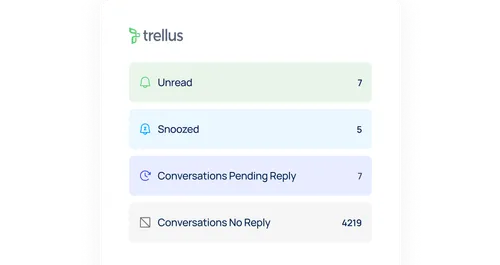
Bring a conversation back when it is time to follow up.
Move through conversations with the arrow keys, press Enter to send and type / to pick a saved reply.

Keep your LinkedIn and Sales Navigator conversations together.
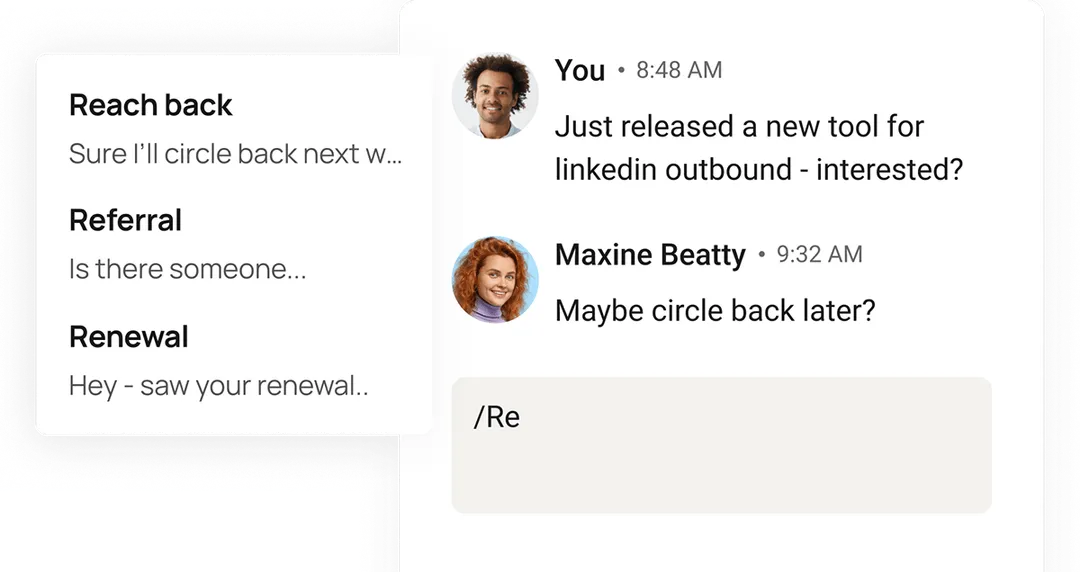
Start with a saved snippet, then personalize the message.
Get started
Included in every plan, starting with Power. Compare plans or explore the LinkedIn chapter of the product tour.
LinkedIn inbox FAQ
Choose Snooze on the conversation and pick 1 hour, 3 hours, 1 day, 1 week or a custom date and time. The conversation comes back when it is time to follow up.
Yes. LinkedIn and Sales Navigator messages sit side by side in one inbox.
Save snippets in the LinkedIn inbox settings, then type / in a message to pick one and personalize it before sending.
Yes. You can sync a LinkedIn conversation to HubSpot or Salesforce.
Every plan. It is included in Power ($99.99 per seat per month), and Power + Parallel and Business include everything in Power. See pricing.


Keyboard workflow
Use shortcuts and saved snippets to work through conversations without repeatedly typing the same reply.
Follow-up organization
Find LinkedIn and Sales Navigator messages in one place. Use smart inboxes and categories to organize conversations, then snooze a message until you are ready to return.
trellus
Messaging activity
Review connection requests, direct messages and InMail activity for yourself and your team. Use the breakdown to see how your outreach changes over time.